Artificial intelligence has completely transformed the way we create digital art. From social media creators to bloggers, YouTubers, and online entrepreneurs, AI image generators are now essential tools for producing high-quality visuals at scale. One name that keeps gaining attention is OpenArt AI.
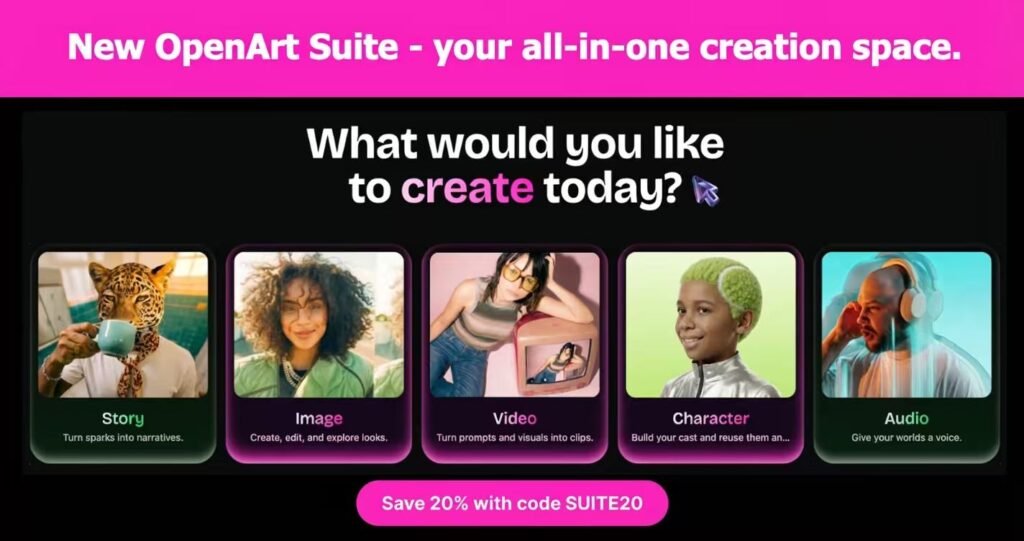
But with so many competitors like Midjourney and Leonardo AI, the big question is:
Is OpenArt AI the best AI image generator in 2026?
In this detailed review, we’ll cover:
- Features
- Pricing
- Image quality
- Pros & cons
- Real-world use cases
- Who should use it
- And whether it’s worth your money
Let’s dive in.
Table of Contents
What Is OpenArt AI?
It is an advanced AI-powered image generation platform that allows users to create high-quality visuals using text prompts. It supports multiple AI models, customizable styles, and advanced editing features — all within an easy-to-use browser interface.
Unlike some AI art tools that focus purely on aesthetics, OpenArt is built for creators, marketers, and entrepreneurs who need:
- Fast generation
- Commercial usage rights
- Custom styles
- Batch creation
- High-resolution exports
It’s especially popular among:
- Instagram reel creators
- YouTube thumbnail designers
- Pinterest bloggers
- Print-on-demand sellers
- Affiliate marketers
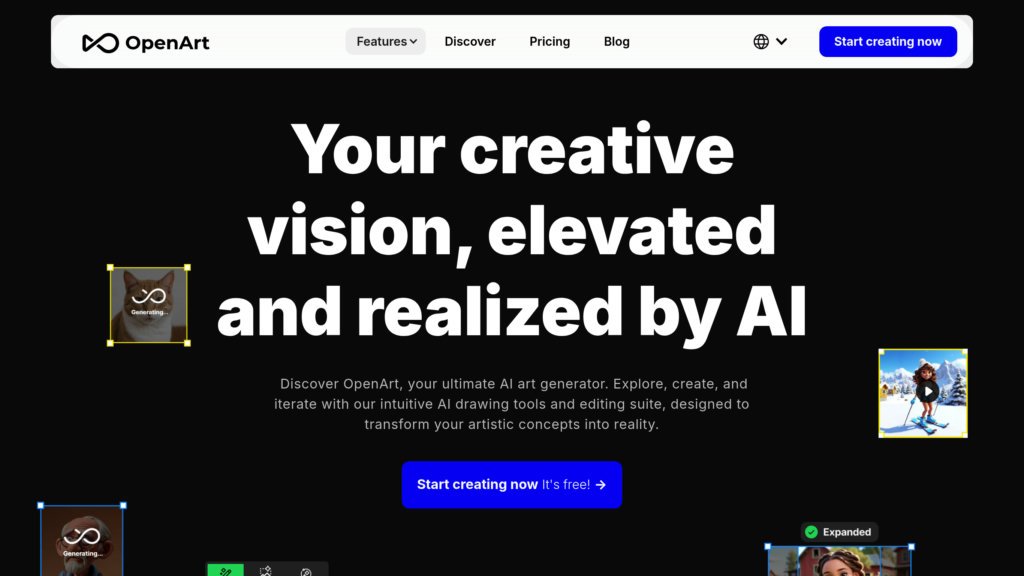
Key Features of OpenArt AI (2026)
1️⃣ Multiple AI Models in One Platform
One of OpenArt’s strongest advantages is access to various AI models. Instead of being locked into one engine, you can experiment with different generation styles.
This flexibility allows you to create:
- Hyper-realistic portraits
- Anime-style art
- Cinematic photography
- 3D renders
- Fantasy artwork
For creators running multiple niche pages, this is a major advantage.
2️⃣ Advanced Prompt Controls
Prompt engineering is everything in AI art.
OpenArt AI allows you to:
- Adjust image resolution
- Control aspect ratio
- Use negative prompts
- Fine-tune style strength
- Control lighting and realism
This makes it beginner-friendly while still powerful for advanced users.
3️⃣ AI Editing & Image Enhancement
Beyond text-to-image generation, OpenArt also offers:
- Background removal
- Upscaling
- Inpainting (edit specific areas)
- Style transfer
These tools reduce the need for external software like Photoshop.
4️⃣ Community & Inspiration Feed
One underrated feature is its community gallery. You can browse trending prompts and replicate styles.
For creators trying to go viral, this feature alone saves hours of experimentation.
Image Quality: How Good Is It?
Image quality is where most AI generators compete heavily.
In 2026, It produces:
- Sharp details
- Realistic skin textures
- Cinematic lighting
- Clean compositions
- High-resolution outputs
Compared to competitors:
- Midjourney still wins slightly in artistic aesthetics.
- Leonardo AI is strong in game-style art.
- OpenArt AI balances realism + usability.
If you create viral reels, YouTube thumbnails, or blog graphics — OpenArt is more than capable.
OpenArt AI Pricing (2026)
Pricing always matters.
It typically offers:
- Limited daily generations
- Standard resolution
- Basic features
🆓 Free Plan
💳 Paid Plans
- More generations
- Faster processing
- High-resolution exports
- Advanced editing
- Commercial usage
For beginners testing the waters, the free plan is enough.
For serious content creators or affiliate marketers, upgrading is worth it because speed + volume = more income potential.
Pros and Cons of OpenArt AI
✅ Pros
- Beginner-friendly interface
- Multiple AI models
- Affordable pricing
- Strong commercial usage rights
- Great for social media content
- No heavy software installation
❌ Cons
- Artistic creativity slightly below Midjourney
- Free plan has limitations
- Requires prompt experimentation
No tool is perfect — but OpenArt offers excellent value for most creators.
Who Should Use OpenArt AI?
It is ideal for:
📱 Social Media Creators
If you run pages about:
- Soulmate quotes
- Bedtime affirmations
- Motivational content
- AI art reels
You can generate hyper-viral visuals daily.
🎥 YouTubers
Create:
- Click-worthy thumbnails
- Story visuals
- Animated-style covers
🛍 Print-on-Demand Sellers
Design:
- T-shirt graphics
- Poster art
- Stickers
- Digital downloads
💰 Affiliate Marketers
Use AI images for:
- Blog posts
- Pinterest traffic
- Instagram reels
- Facebook ads
If your goal is monetization, OpenArt AI gives you scalability.
OpenArt AI vs Midjourney (Quick Comparison)
| Feature | OpenArt AI | Midjourney |
|---|---|---|
| Ease of Use | Very easy | Moderate |
| Web Interface | Yes | Discord-based |
| Editing Tools | Built-in | Limited |
| Artistic Quality | High | Very High |
| Beginner Friendly | Yes | Medium |
| Commercial Rights | Yes | Yes |
If you prefer working inside a clean dashboard rather than Discord, OpenArt wins for convenience.
Real Case Example: Creating Viral Content
Imagine you run a soulmate affirmation page.
Instead of:
- Searching stock images
- Paying designers
- Waiting hours for edits
You can:
- Enter a cinematic romantic prompt
- Adjust lighting + realism
- Generate 5 variations
- Pick the best one
- Add text overlay
- Post the reel
All in under 15 minutes.
That speed is powerful in 2026’s attention economy.
Is It Safe and Legal?
Yes — as long as you follow platform guidelines.
Most paid plans include commercial rights, meaning you can:
- Sell designs
- Monetize YouTube videos
- Run ads
- Use in blogs
Always double-check the latest terms on their website before large-scale commercial projects.
Tips to Get the Best Results with OpenArt AI
If you want high-quality outputs:
🔥 1. Be Specific in Prompts
Instead of:
“A romantic couple”
Use:
“Ultra realistic romantic couple locking eyes in golden sunset, cinematic lighting, 85mm lens, shallow depth of field, warm tones, 8k resolution”
Specific = better results.
🎨 2. Use Style Keywords
Add words like:
- Cinematic
- Hyper-realistic
- Soft lighting
- Moody atmosphere
- Editorial photography
📏 3. Choose the Right Aspect Ratio
For:
- Instagram reels → 9:16
- YouTube thumbnails → 16:9
- Pinterest → 2:3
This small detail improves engagement dramatically.
Final Verdict: Is It the Best AI Image Generator in 2026?
Here’s the honest answer:
👉 For most creators — YES.
While Midjourney may still lead in ultra-artistic fantasy images, OpenArt AI wins in:
- Ease of use
- Versatility
- Editing tools
- Speed
- Creator-focused workflow
If you’re building a content brand, running affiliate marketing, or creating viral visuals daily, OpenArt AI is one of the smartest tools you can invest in this year.
⭐ Overall Rating (2026)
- Ease of Use: 9/10
- Image Quality: 8.5/10
- Pricing: 9/10
- Features: 9/10
- Value for Creators: 9/10
Final Score: 8.9/10
Should You Try It?
If you’re serious about:
- Growing social media pages
- Making money online
- Creating AI-powered content
- Scaling visual production
Then OpenArt AI is absolutely worth testing.
Start with the free plan, experiment with prompts, and upgrade once you see traction.
